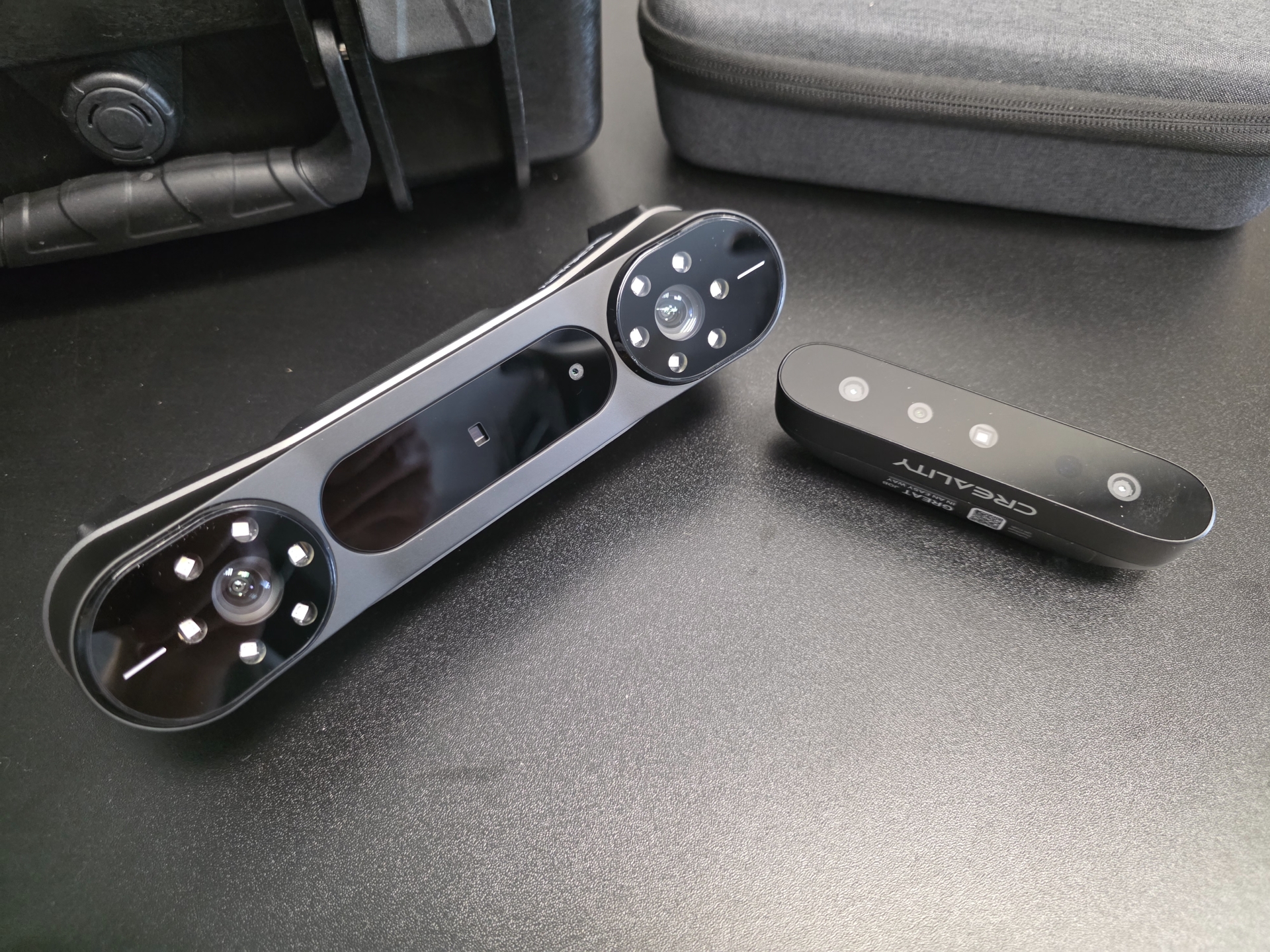
The range of 3D scanners has expanded considerably in recent years. Devices that until recently cost 30-80-200 thousand PLN are being replaced by modern scanners costing a few thousand. We have personally used Creality solutions for years, but have tested scanners from many other brands. The results can be very similar, as we discuss later in this article.
This article is not an advertisement, a manufacturer ranking or definitive purchasing advice. We present our subjective observations based on more than 18 years of work in 3D graphics and our own experience of scanning objects at the Pogotowie 3D studio. Specific devices and manufacturers are mentioned solely as examples of solutions available on the market in 2026.
What kind of 3D scanner are we looking for?
For the purposes of this article, we assume the scanner will capture objects ranging from a dozen or so centimetres to approximately 1,5 metres in size. These might include products, furnishings, sculptures, technical parts, architectural features, faces or entire bodies.
We are not looking for a metrology device intended to inspect manufacturing with the accuracy required in industry.
A scan is usually not a finished model. It provides a foundation that we subsequently clean up, correct and retopologise. Geometry prepared in this way can be used in product visualization, animation, product design or the creation of a model intended for 3D printing.
Our assumed maximum budget is approximately PLN 10 000.
Fun fact: our first 3D 'scanner' was... a Kinect 🙂
The first device resembling a 3D scanner that we used when the studio was starting out was a Kinect designed for the Xbox console.
The Kinect was designed to recognise players' movements, but it had a depth camera that could determine the distance of individual parts of a scene from the sensor. When the device was connected to a computer, suitable software could record this data and use it to create simplified 3D models.
The main 3D scanning technologies
The cheapest and most popular handheld scanners often use structured light operating in the near-infrared range, referred to as NIR. The device projects a light pattern, and cameras analyse its deformation on the object's surface. An additional RGB camera can capture colour and produce a basic texture.
This solution works well when scanning faces, bodies, sculptures, furniture and larger objects with relatively distinct geometry. An example is the Creality CR-Scan Ferret Pro that we use. It is not intended to reproduce sharp edges with great precision, but it can quickly capture an object's overall shape, proportions and character.
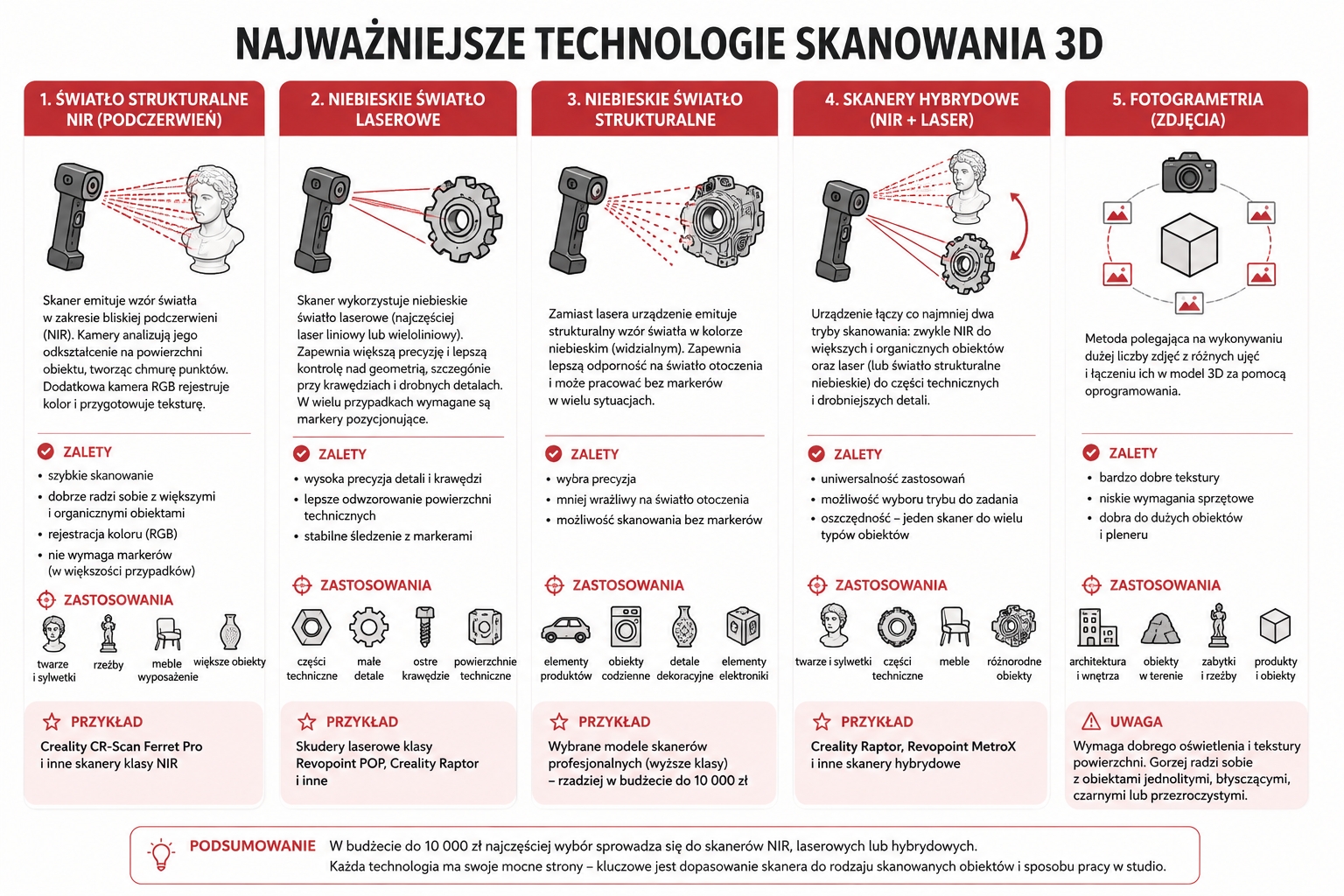
Another solution is scanners that use blue laser light. They are particularly useful for technical parts, small details, edges and surfaces that require greater control over geometry. In many cases, however, markers are needed to help the device track the scanner's position relative to the object correctly.
Professional devices also use blue structured light. Within a budget of up to PLN 10 000, however, the choice more often comes down to NIR scanners, blue laser devices or hybrid designs combining both technologies.
Hybrid scanners can operate in one mode for larger and organic objects, and another when capturing technical parts and finer details. Selected Creality and Revopoint devices, among others, offer such solutions.
A separate method is photogrammetry, which creates a model from a large number of photographs. It can produce very good results for larger objects and provide high-quality textures, but requires suitable lighting and a surface with clear details. It usually struggles more with uniform, shiny, black or transparent objects.
Our articles on 3D hardware:
A little theory: point clouds, meshes and optimisation
One of the most common misconceptions is that a scanner immediately creates a finished 3D model. In reality, the device primarily gathers information about the positions of points on the object's surface.
This produces a point cloud: a vast collection of points describing the object's shape. The cloud itself is not yet a convenient model for visualization, animation or printing.
The software must then analyse the data, align successive parts of the scan, remove incorrect points and convert the cloud into a polygon mesh.
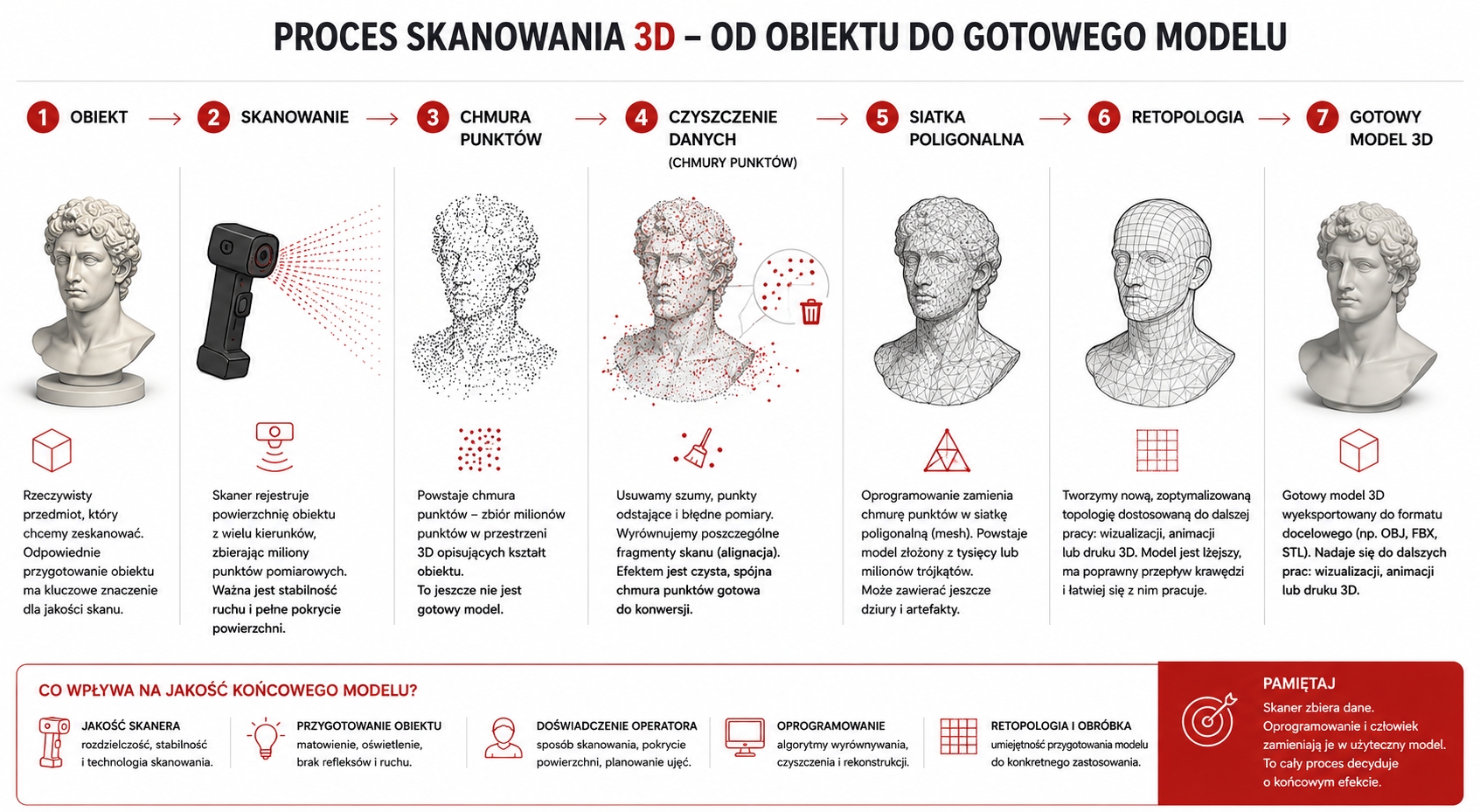
Each stage affects the final result. If the software aligns the data incorrectly, it can produce double surfaces, waves, noisy edges, holes and deformations. Even a very good scanner cannot solve every problem if its software struggles to reconstruct geometry.
What really distinguishes a PLN 3 000 scanner from a PLN 10 000 device?
In the price range from approximately 3 to 10 thousand PLN, differences between scanners do not always translate directly into a proportionally higher-quality finished model. More expensive devices may capture data faster, track the object more reliably and cope better with changes in lighting. They may also offer more scanning modes, more cameras, easier operation or the ability to work without a computer connection. Part of the price therefore covers not only the quality of the optical system, but also the hardware used: the processor, memory, screen, battery and system enabling mobile operation. This matters when a scanner needs to be taken to a client, used on a construction site or operated in the field. The situation is different in a graphics studio. The device can be connected by cable to a powerful computer, and the existing workstation's processing power can be used to process the data.
In this situation, mobility and an integrated computer need not be the most important features. Sometimes it makes more sense to choose a simpler scanner and place greater emphasis on software and subsequent model processing.
Software can matter more than the hardware itself
This is the most important observation from our experience.
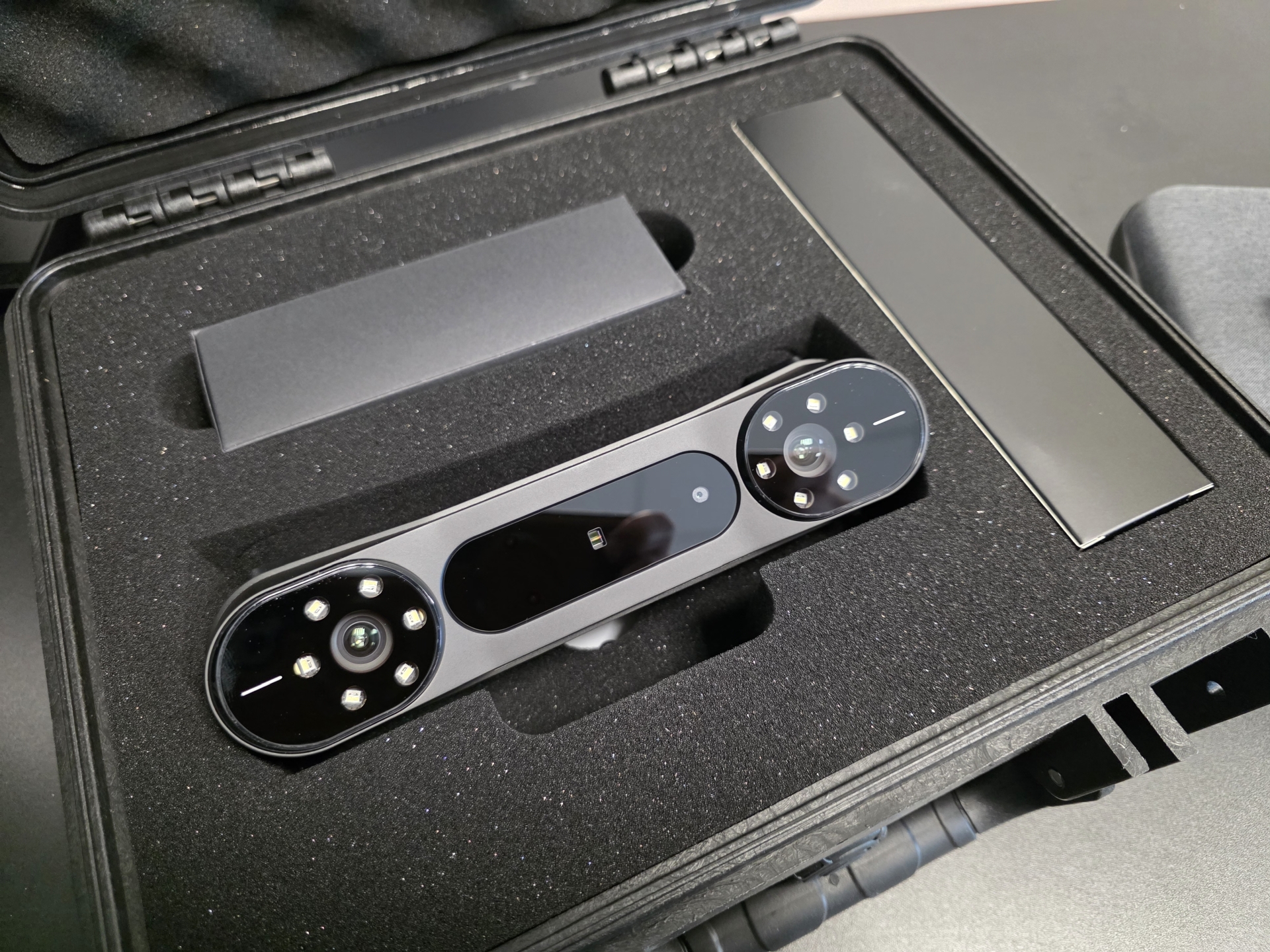
When comparing available Creality and Revopoint solutions, devices in similar price ranges often use similar hardware concepts. The differences become much more apparent when working with the software responsible for tracking the object, aligning scans and creating the mesh. In our view, Revopoint's Revo Scan software is better refined in certain respects than the basic solutions supplied with some Creality scanners. It provides greater control over point cloud processing and can guide the user more efficiently through the reconstruction stages. This does not mean, however, that the Revopoint scanner itself will always capture noticeably better geometry. A more developed ecosystem and software generally cost more, even when the hardware capabilities are similar. When buying a scanner, we are therefore buying not only cameras and a light source, but also algorithms, software updates and the convenience of the entire process.
Do you have to use the manufacturer's software?
Not always. If the scanner software can export the point cloud, as is the case with most available manufacturers, we can process it using third-party software.
Specialist point cloud tools allow more precise noise removal, alignment of multiple scans, calculation of surface normals, mesh density control and repair of reconstruction errors. Some programs also allow more precise hole filling, polygon reduction and preparation of data for retopology.
As a result, even a cheaper scanner can capture material that becomes a very good model after suitable processing.
Which 3D scanner is worth buying in 2026?
For scanning faces, bodies, sculptures, furniture and simple objects, an inexpensive scanner using NIR structured light, such as the Creality Ferret Pro or another device with similar capabilities, may be sufficient.
For technical parts, sharp edges and small details, a blue laser scanner will be a better choice. If the studio scans a wide variety of objects, a hybrid design combining both solutions, such as the Creality Raptor, is worth considering.
However, a device should not be chosen solely on its stated accuracy or the number of frames or points captured per second. Check the software quality, export options, the way multiple scans are aligned and the time needed to obtain a clean mesh.
Within a budget of up to PLN 10 000, many devices offering similar results are available in 2026.
The scanner collects data. The software turns it into a mesh. The artist cleans up the geometry, performs retopology and prepares the model for further use. Only the combination of these stages determines whether the final result is suitable for professional visualization, animation or 3D printing.
FAQ
frequently asked questions
Do you need a highly accurate scanner for 3D visualization?
No. In the price range up to approximately PLN 10 000, the differences usually concern speed, ease of use and software capabilities, rather than solely the quality of the scan itself. Subsequent model processing also plays a major role in the final result.
Does a more expensive 3D scanner always produce a better model?
No. In the price range up to approximately PLN 10 000, the differences usually concern speed, ease of use and software capabilities, rather than solely the quality of the scan itself. Subsequent model processing also plays a major role in the final result.
What matters most when choosing a 3D scanner?
The most important factors are matching the scanner to the kinds of objects we plan to digitise and the scanner's software.